
Lisible

Read and edit Markdown on your Mac.

Open a file as a formatted page, edit it like a Word document, and follow links to other notes. Your changes are saved automatically.

Download Lisible 1.10.0

Free6.0 MBmacOS 14 or laterApple silicon

One extra step on first launch
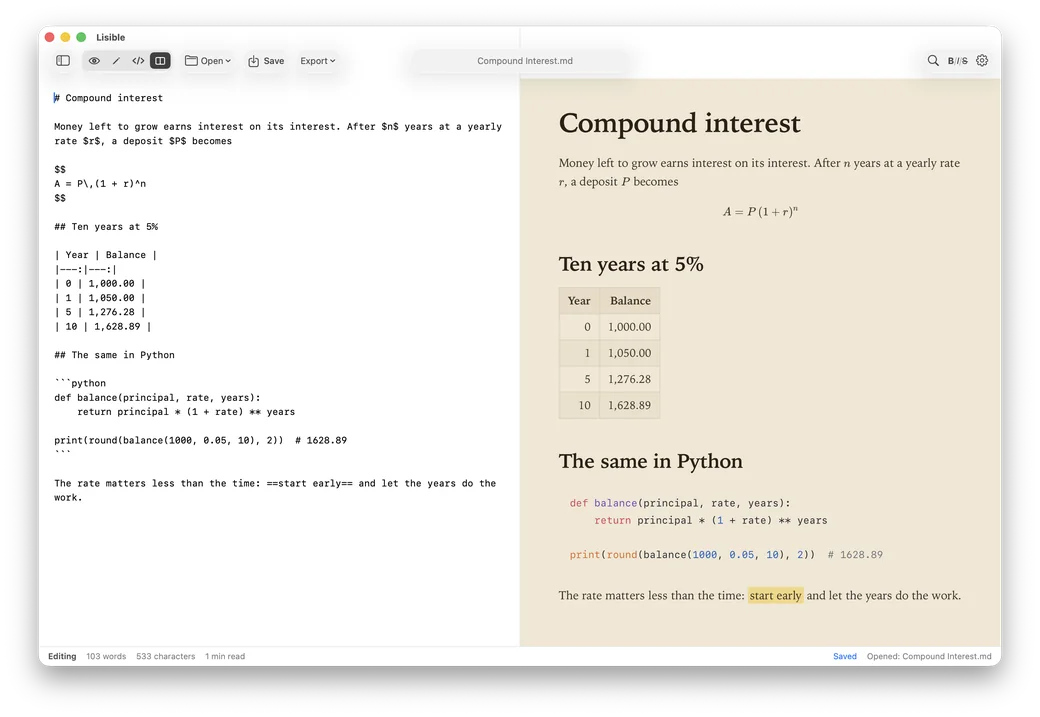
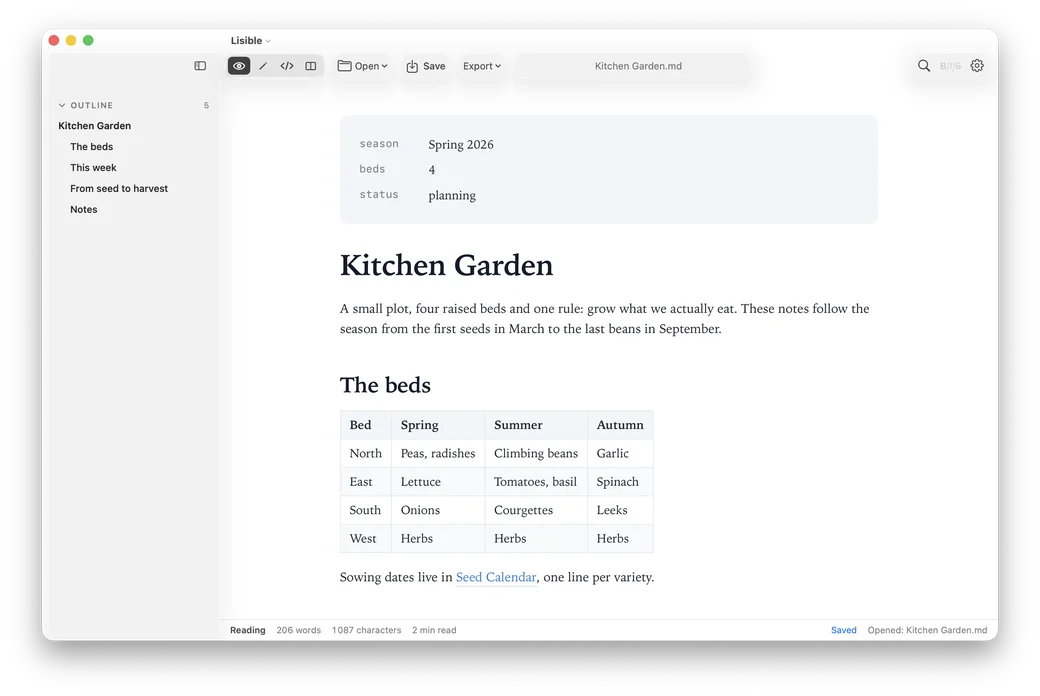
Lisible in Split view with the Sepia theme: the Markdown of a note on compound interest on the left, the finished page with its formula, table and Python code on the right. Lisible in Reading view: a Kitchen Garden note with its outline in the sidebar, a table of the four beds and a link to another note.

Open a file and start reading.

Headings, tables, images and links appear in a formatted page. An outline helps you move through longer documents.

Start here.md
A second brain you can read

A second brain is a collection of notes that helps you pick up where you left off. It can hold project decisions, useful references and the next action you want to take.

Give each note a home

This example uses IPCRA, a five-folder arrangement related to PARA. Here, ongoing areas of responsibility are called roles, and an inbox catches new material.

FolderWhat belongs hereExample
InboxNew material waiting to be sortedAn idea captured during a walk
ProjectsWork with an outcome and an endPublish a short guide
RolesResponsibilities you maintain over timeKeep household records up to date
The same note, as Lisible shows it and as it is saved.

Make a change where you’re reading.

Switch to Editing and type directly into the page. Use the Format menu for headings, bold text and lists.

Lisible saves a second after you stop typing. When another app changes the file, Lisible offers to reload it.

Editing Start here.md
Try this in Lisible
  1. Switch to Editing and change the sentence below.
  2. Pause for a moment to let Lisible save.

My next action is to choose one project and write down what done looks like.

Editing · 35 wordsSaved
MarkdownMy next action is to choose one project and write down what done looks like.

Eleven themes

Choose from eleven themes and adjust the text size, line spacing and page width.

Theme of the example below
ReadingCompound interest.md
Compound interest

Money left to grow earns interest on its interest. After n years at a yearly rate r, a deposit P becomes

A = P (1 + r)n

Ten years at 5%
YearBalance
01,000.00
11,050.00
51,276.28
101,628.89
The same in Python
def balance(principal, rate, years):
    return principal * (1 + rate) ** years

print(round(balance(1000, 0.05, 10), 2))  # 1628.89

The rate matters less than the time: start early and let the years do the work.

More features and exports

  • Four views

    Reading shows the finished page, Editing lets you type into it, Split puts the source next to the page, and Source is plain Markdown.

  • Tables, math and diagrams

    Tables, footnotes, task lists you can tick, highlighted code, LaTeX math and Mermaid diagrams all render.

  • Outline and find

    An outline of the headings, and find with ⌘F.

  • Export and print

    Export to paginated PDF in A4, Letter or A5, to standalone HTML, or to Word when pandoc is installed. Print with ⌘P.

  • Pasted images

    Paste an image in the source and Lisible saves it in a Captures folder next to the note, then links it.

  • Notes from Obsidian

    Lisible finds your vault from its .obsidian folder and resolves [[wikilinks]] by note name, the way Obsidian does.

    Obsidian details
  • Your files stay where they are

    Lisible opens a file in place and saves it in place. There’s no account and no analytics.

    Where files live
  • Signed updates

    Every update carries my signature, and Lisible won’t install one that doesn’t.

    How updates work
  • Changes from other apps

    When another app changes the file, Lisible offers to reload it.

Try it with a small second brain.

Two linked Markdown notes introduce Inbox, Projects, Roles, Resources and Archives. Open the first, edit a sentence and follow the link to a weekly review.

Unzip the folder, keep both notes together and open Start here.md in Lisible. The examples are fictional and yours to edit.

Why I built it

Claude, ChatGPT and opencode create about 150 Markdown files a week for me. Many link to other files. I wanted to open one, read it comfortably, follow a link and fix a sentence along the way.

I tried Typora, Zettlr, MarkEdit and Obsidian. Some felt too heavy for what I needed. Others were paid, or had me editing raw Markdown. I built Lisible for my own Mac and decided to share it.

Lisible is French for “readable”.

It’s a native Mac app: 6.0 MB to download and 13 MB installed. It opens and saves files where they are. It’s free, with no account, subscription or analytics.

Franck Debane

Your first launch

Lisible isn’t notarized by Apple, so macOS blocks the first launch. You allow it once.

  1. Move it to Applications

    Unzip the download, then drag Lisible into your Applications folder.

  2. Open Lisible once

    macOS shows a warning. Close it without moving Lisible to the Trash.

  3. Allow it in Settings

    Open System Settings → Privacy & Security. Under Security, choose Open Anyway for Lisible, then confirm. macOS may ask for your password or Touch ID.

After that, it opens like any other app. Keep it in Applications so it can update itself. Advanced: open Lisible using Terminal

A few practical details

Compatibility, your files, updates and everything else.

Download details and file verification

Version 1.10.0, released September 28, 2026. What’s new

macOS 14 Sonoma or later, on a Mac with Apple silicon. Intel Macs aren’t supported.

Lisible-1.10.0.zip, 6.0 MB. Free, with no account or subscription.

SHA-256: 3cc0b6e88da6957931e269dfd8d7e68ec98bed4b6fc519db3f24f350cca822d0

To verify the download in Terminal:

shasum -a 256 ~/Downloads/Lisible-1.10.0.zip
Does it work with notes from Obsidian?

For reading and editing them, yes. Lisible finds your vault from its .obsidian folder and resolves [[wikilinks]] by note name, the way Obsidian does.

Embedded images (![[image.png]]) show up, and an embedded note (![[Note]]) shows as a link. It doesn’t replace Obsidian, though: there’s no file tree, no backlinks and no search across your notes.

How do updates work?

On its second launch, Lisible asks whether it may check for updates. If you say yes, it looks at debane.org once a day and offers to install a new version when there is one, then restarts.

Every update carries my signature, and Lisible won’t install one that doesn’t. It has to be in your Applications folder to update itself, so a copy opened straight from Downloads can’t. You can also check by hand from the Lisible menu. In Settings, under Updates, you can turn the daily check off or let updates install on their own.

Your files stay where they are

Lisible opens a file in place and saves it in place. There’s no account and no analytics.

The app itself talks to one server, debane.org, and only for updates. Anything else comes from your notes, such as images hosted on the web, and HTML exports load their math and code styles from a public CDN.

Make it your default Markdown app

Select a .md file in the Finder and choose File, then Get Info. Under Open with, pick Lisible and click Change All. It never takes over your files on its own.

Can I support Lisible?

If it saves you time, you can. You pick the amount on a Stripe payment page. A donation doesn’t unlock anything, and Lisible stays free for everyone.

Found a bug or have an idea?

Tell me what you were trying to do and what happened. For a bug, include your Lisible and macOS versions. If a sample file helps explain it, remove any private information first.

Contact Franck on LinkedIn

What’s inside

Lisible renders Markdown with markdown-it and its plugins, KaTeX, Mermaid and highlight.js, and turns your edits back into Markdown with Turndown.

What’s new

Version 1.10.0

  • Lisible is free, and you can now support it: Lisible > Support Lisible… opens a donation page where you choose the amount. The same button is in Settings > Updates. A donation unlocks nothing: Lisible stays free for everyone, and it never asks.
Advanced: open Lisible using Terminal

This command removes the first-launch quarantine check for Lisible only:

xattr -dr com.apple.quarantine /Applications/Lisible.app

Try it with one of your Markdown files.

Download Lisible 1.10.0

Free6.0 MBmacOS 14 or laterApple silicon

Version 1.10.0, released September 28, 2026. What’s new